AgentDeck
Local-first · open source · v2.0.0

One dashboard for your CLI coding agents.

Claude Code, Codex and Antigravity in one browser tab. Browse every session like a web page, see exactly what each agent did, and continue any of them in its real terminal. AgentDeck reads the files the CLIs already write to disk and never sends anything anywhere.

A one-minute tour: Home → ⌘K → a Claude Code session with an inline sub-agent → Stats → Insights → an Antigravity session → Config › Ask the agent → tracked folders → a workspace → Preferences. Recorded from a synthetic data root; every name and path is fictional.

Three providers, one UI

The same screens for every agent.

Conversation, Sub-agents, Raw, Stats, Memory, Config — per session, per project, per tracked folder. A provider is one directory on the server and one YAML descriptor.

Claude Code

Reads ~/.claude/projects/**.

  • Every tool call with its input and output; sub-agents inline under the call that spawned them; workflow runs
  • Memory files, plugins, skills, hooks, MCP servers, output styles — read and edit at user or project scope
  • Usage meters from the status line; resume any session with claude --resume

OpenAI Codex

Reads ~/.codex/sessions/**.

  • Shell and apply_patch calls, reasoning, rate-limit and context meters
  • Spawned child rollouts as sub-agents; per-thread memories (read-only)
  • config.toml, skills, hooks and MCP servers editable; codex resume in the embedded terminal

Google Antigravity experimental

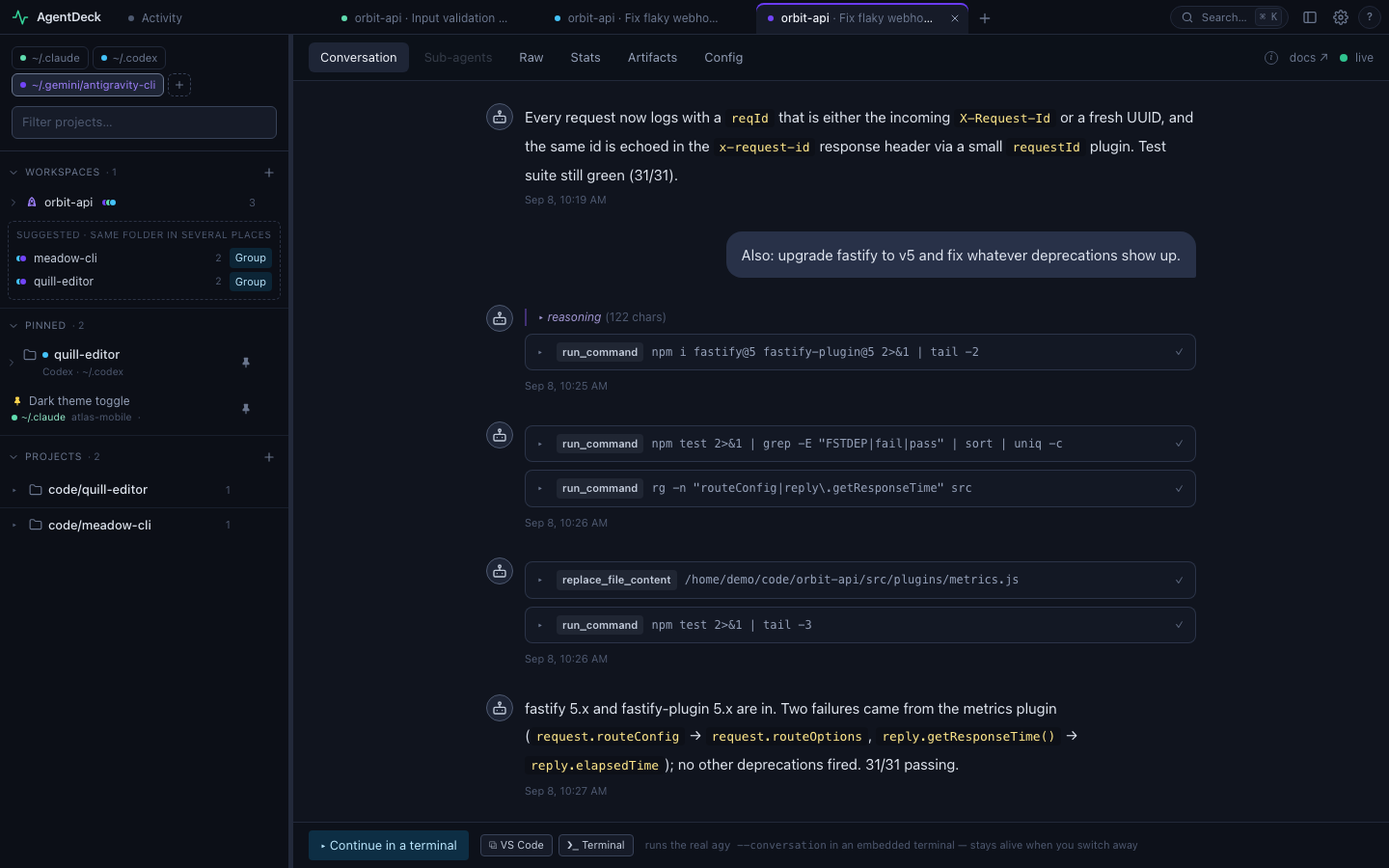
Reads ~/.gemini/antigravity-cli/**.

  • Transcripts plus the protobuf blobs in its SQLite for workspace, model and tokens
  • Artifacts (its brain notes), skills, MCP, plugins, hooks and rules, read-only
  • Sub-agent conversations linked from the transcripts; agy --conversation to continue
An Antigravity session in AgentDeck
Browse like a browser

Tabs, a quick switcher, one sidebar.

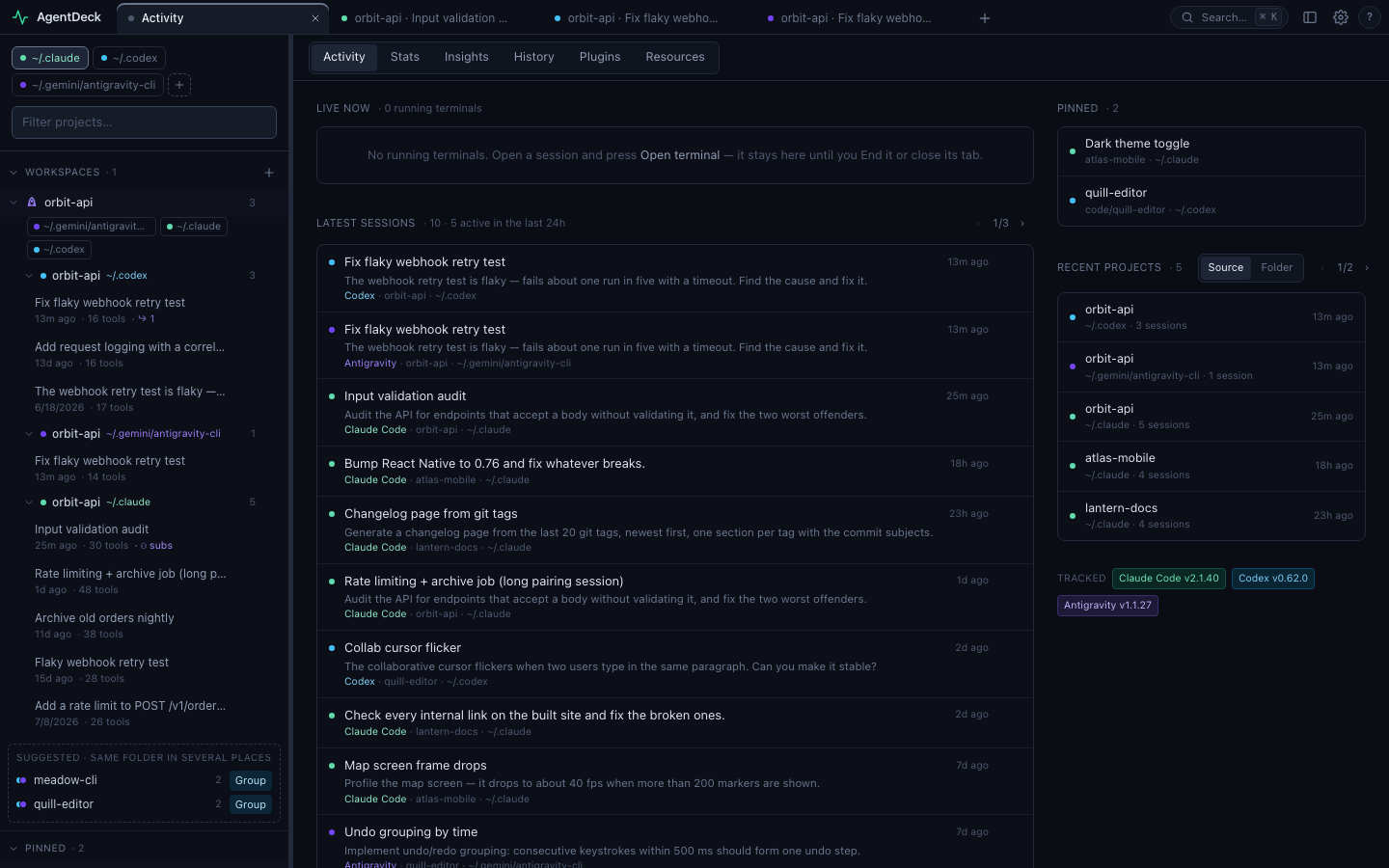
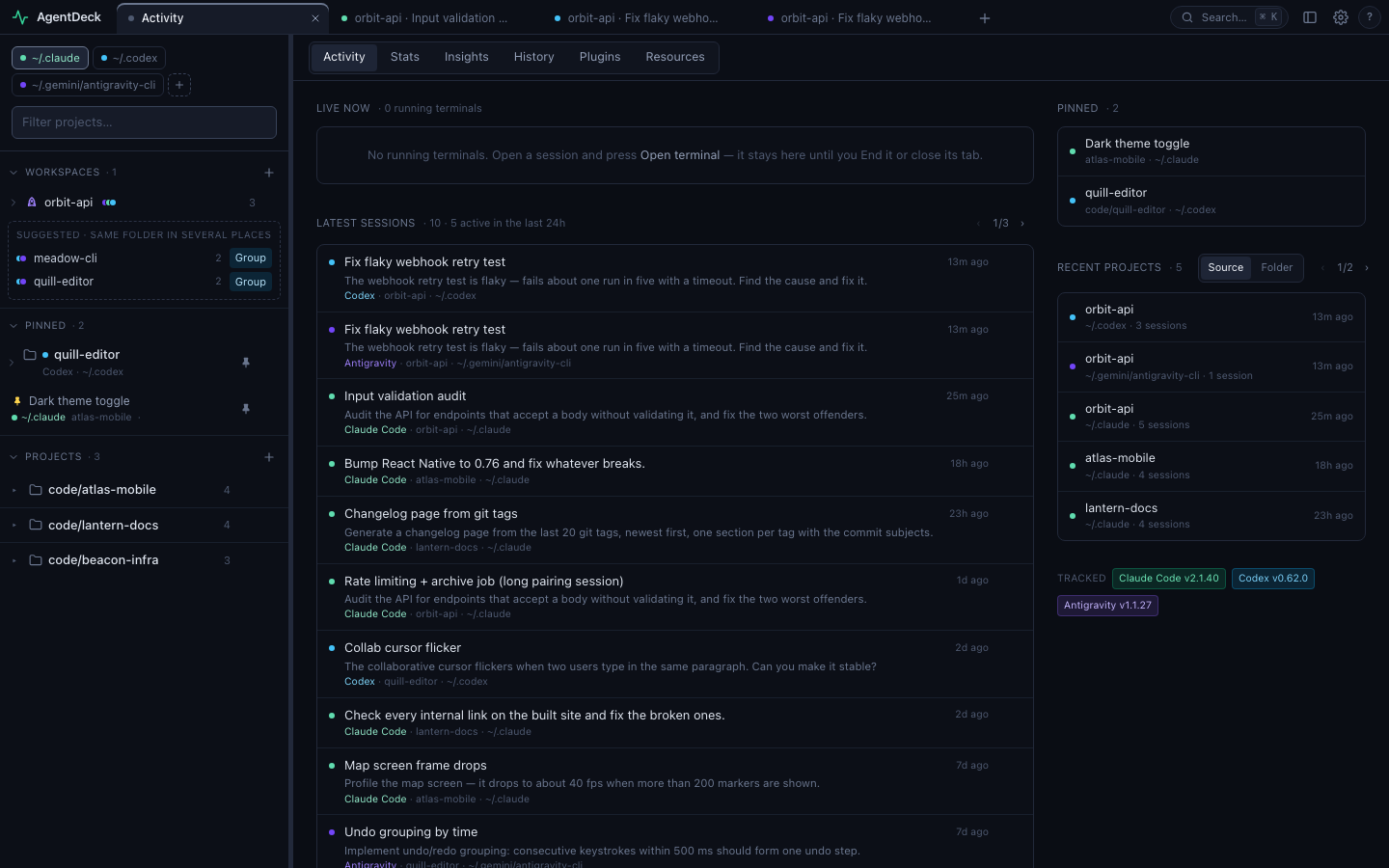
Chrome-style tabs across providers and folders

Every session is a tab with a deep link. Tabs persist, reorder, remember their view, and the terminal you opened in one keeps running while you look at another.

Alt+T newAlt+W closeAlt+[ ] cycleAlt+1…9 jump
Home · Activity with the tab strip and the shared sidebar

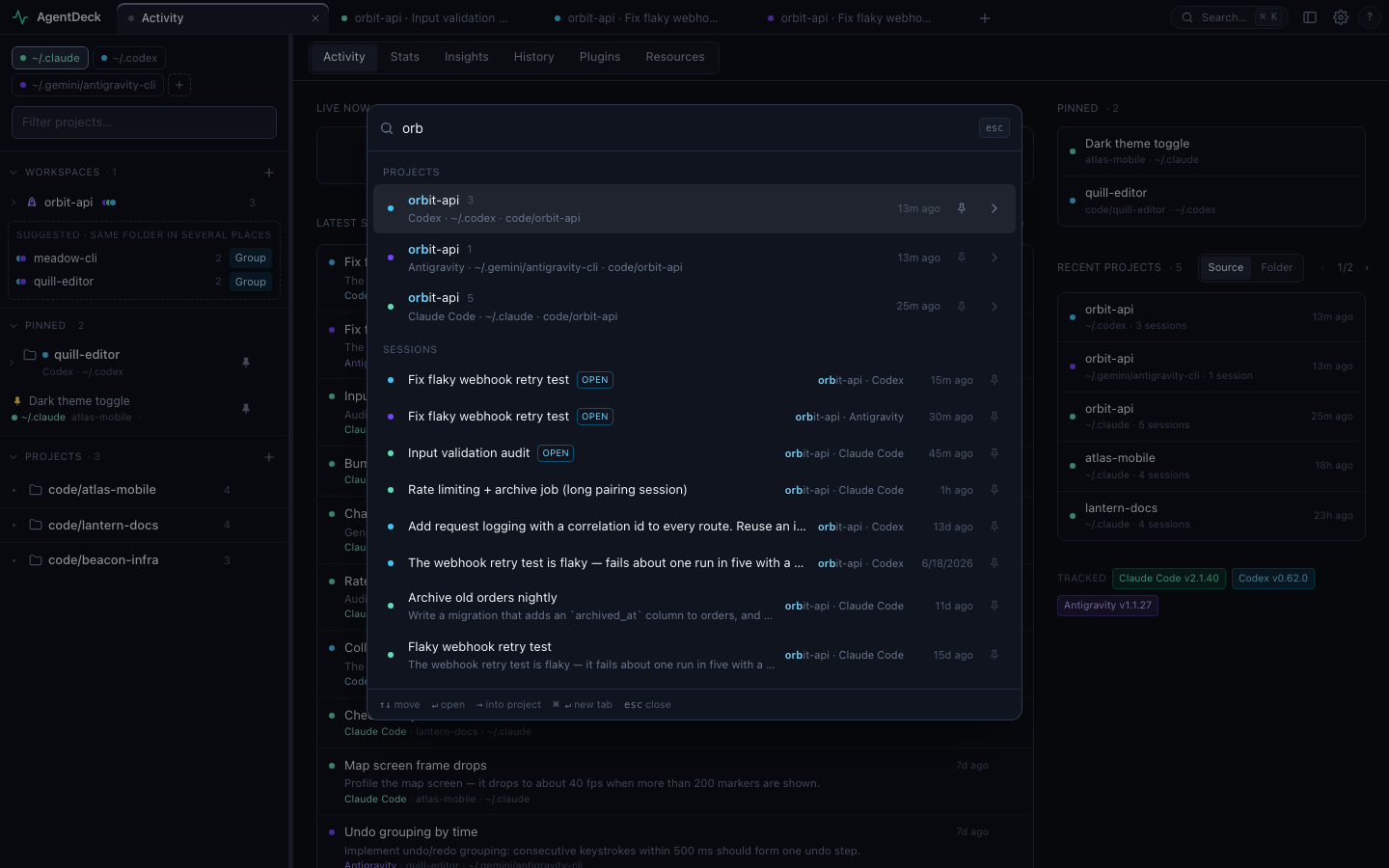
⌘/Ctrl+K

Fuzzy-jump to any project or session in any provider or folder. → browses a project's sessions by title and first prompt, for the ones you don't remember by name. Enter opens; ⌘/Ctrl+Enter opens a new tab.

The quick switcher

Workspaces and pins

Colour-coded folder chips are the only scope picker. A workspace groups the same repo from several providers and folders — suggested automatically when a folder shows up in more than one place. Pins hold what you are on now. Pinning or grouping moves a row, so nothing is listed twice.

A cross-provider workspace and pinned rows in the sidebar
See & steer

Know what happened. Ask the agent for what's next.

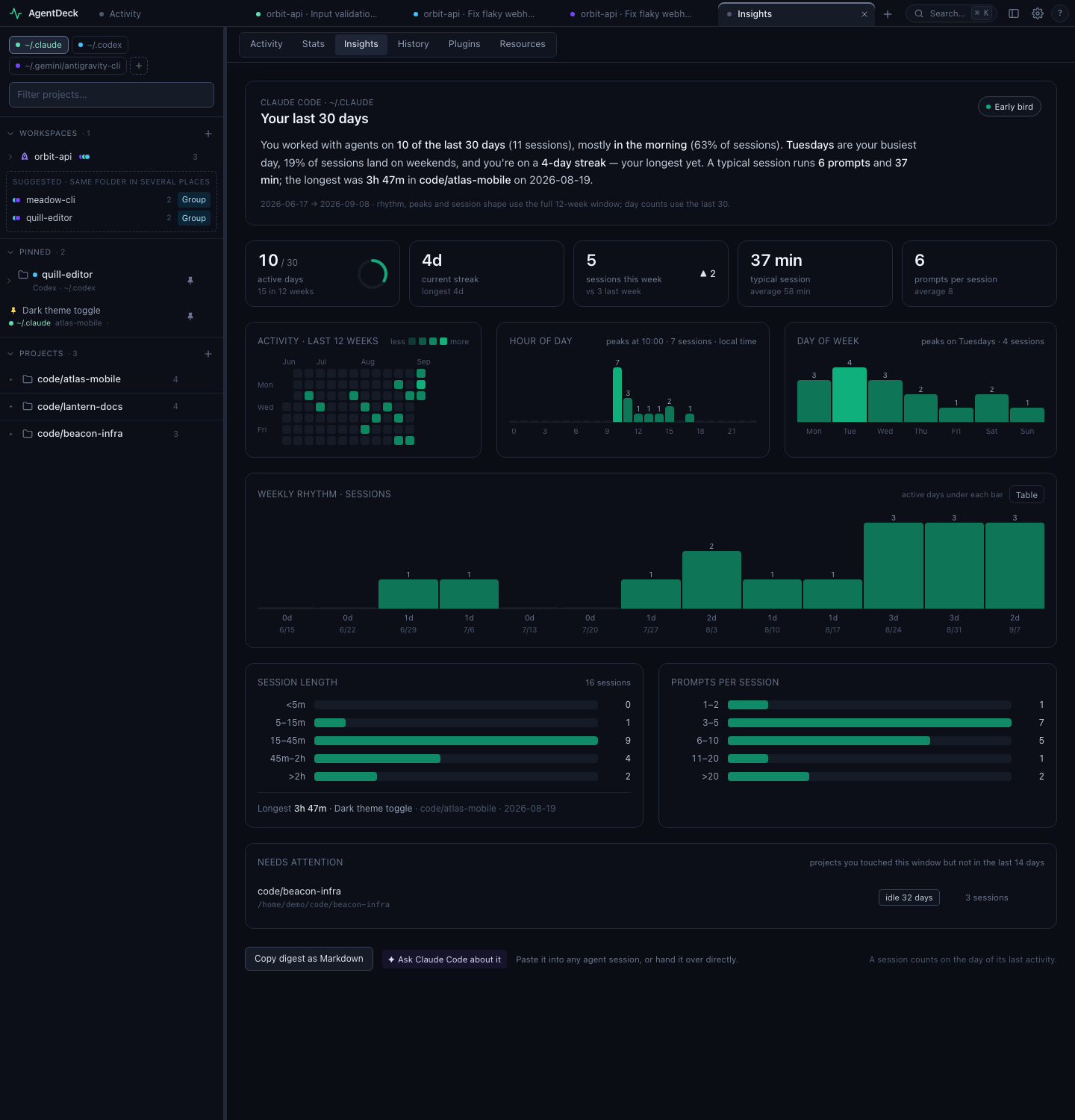
Insights — how you work with agents

Active days, streaks, hour-of-day and weekday rhythm, session length, prompts per session, and the projects that have gone quiet. Tokens, tools and models stay in Stats, one view for every provider.

Insights

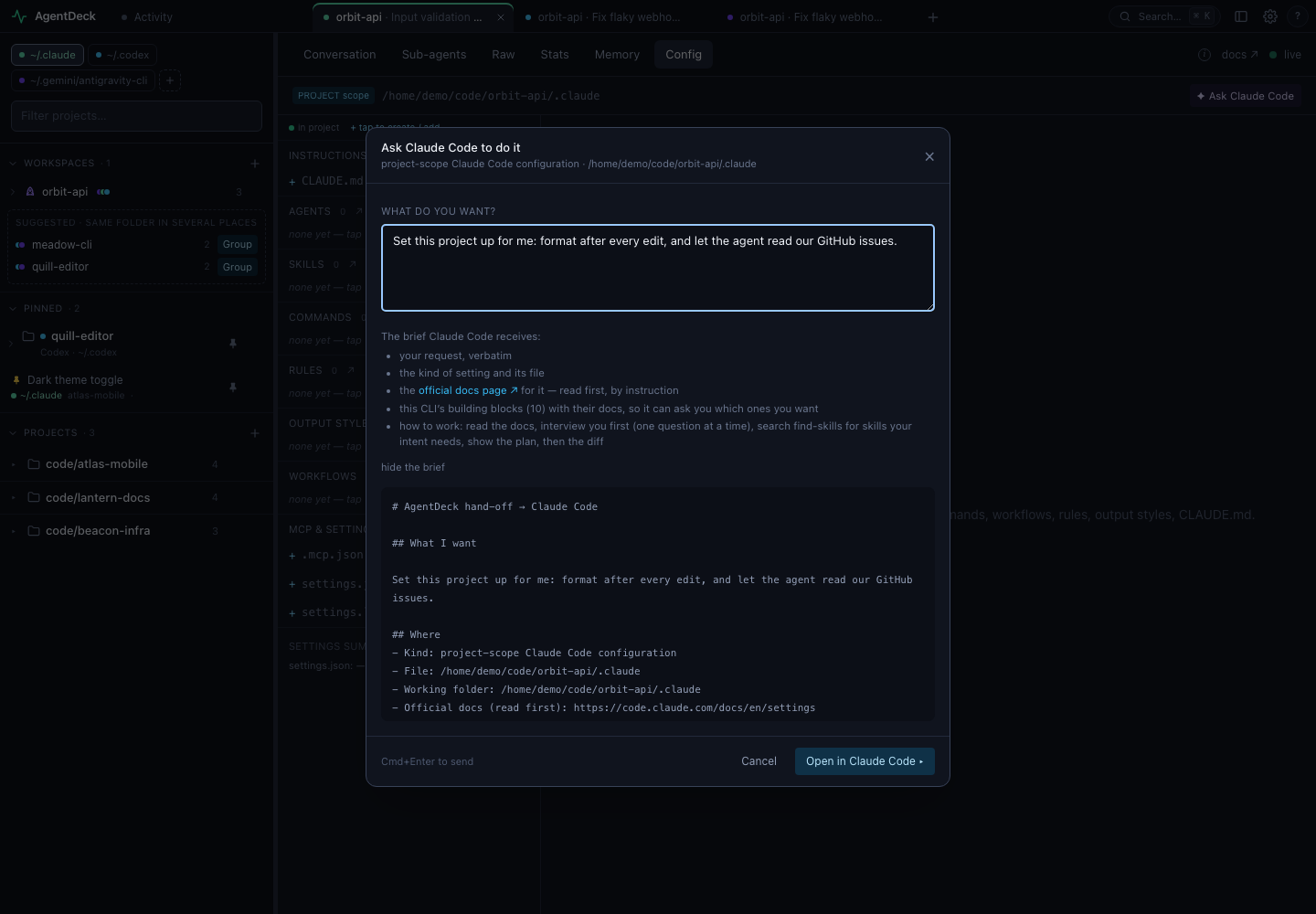
Ask the agent — interview first, then configure

From any Config view, say what you want in your own words. AgentDeck opens that CLI's own terminal with a brief: your request, the file as it is, the official docs, and the CLI's building blocks — commands, rules, output styles, workflows, skills, sub-agents, hooks, MCP servers, plugins. The brief asks the CLI to explain each one, ask one question at a time, search the skills ecosystem with the bundled find-skills, show a plan, and only then edit. AgentDeck itself never calls a model or edits a file.
Ask the agent: the hand-off dialog

Continue in the real terminal

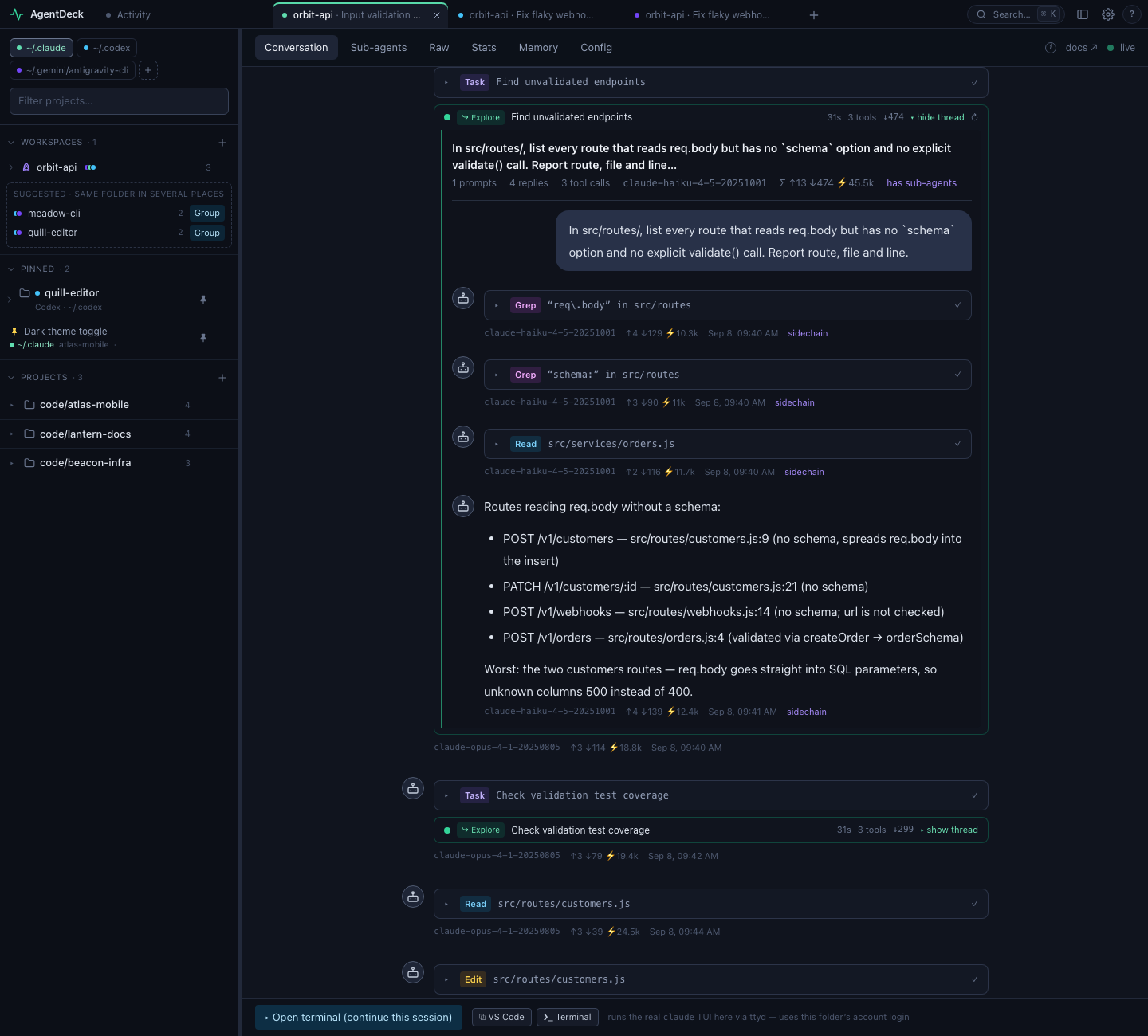
Any session resumes in an embedded terminal running the real CLI, backed by tmux so it survives navigation and can be attached from any shell. Fork a session from any reply to branch without touching the original.

A Claude Code session with an inline sub-agent thread
A provider protocol

Know the day a vendor changes its format.

Every CLI writes its own format under ~/.claude, ~/.codex, ~/.gemini, and there is no shared spec. AgentDeck's spec/ defines the contract every provider implements — one vocabulary for sessions, sub-agents, tool calls, tokens, memory, MCP servers, history and stats — plus a YAML descriptor per CLI and a conformance gate with golden outputs.

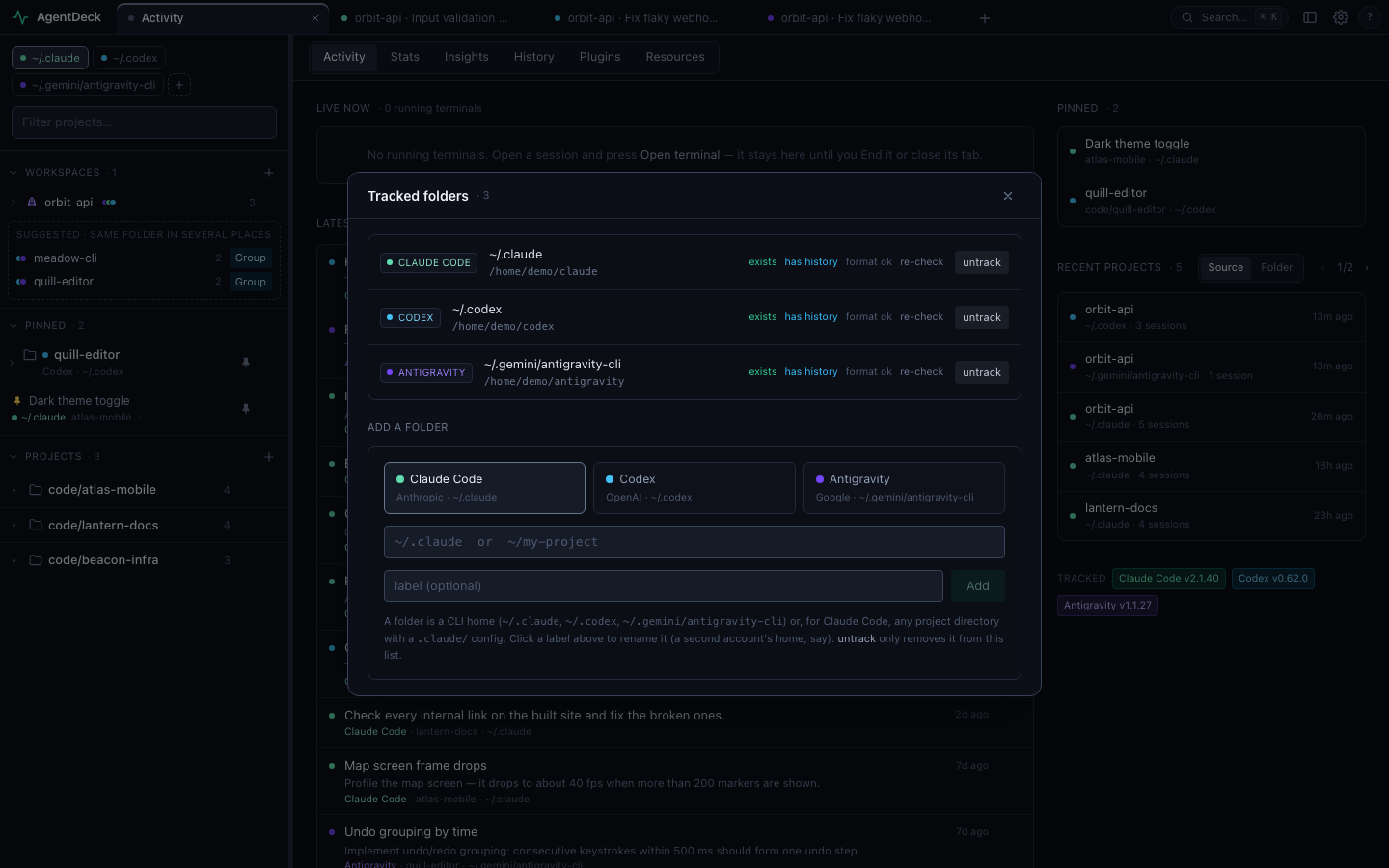
A format probe reads each tracked folder's newest records on every start and compares them with the descriptor. A new record type, a missing required field or a changed type badges that folder the same day, with the details in the Folders dialog.

Read the spec ↗

Tracked folders with the format probe
Runs on your machine

Nothing leaves your computer.

AgentDeck binds to 127.0.0.1, reads the transcripts your CLIs already keep, and calls no model of its own. Continuing a session runs the CLI you already have, logged in as you.

macOS · WSL · Linux

git clone https://github.com/Jimmy-web169/AgentDeck.git
cd AgentDeck
make init   # npm install + optional ttyd + CLI checks
make all    # → http://localhost:47842

Native Windows

git clone https://github.com/Jimmy-web169/AgentDeck.git
cd AgentDeck
npm run init:win   # npm install + optional psmux + CLI checks
npm run dev        # → http://localhost:47842

Node.js ≥ 22.5

The Antigravity provider reads its SQLite through node:sqlite; on an older Node everything else still works.

To watch: nothing else

Point it at ~/.claude, ~/.codex or ~/.gemini/antigravity-cli. Defaults are detected on first run.

To continue: the CLI

claude, codex or agy installed and logged in, plus ttyd for the embedded terminal (native Windows uses the built-in one).